
 Choose mobile
 Login
 Signup
Med Minder - Free android apk free download

| Name | Med Minder - Free |
| Category | medical |
| Resolution | multi |
| Type | Android 1.5 Cupcake |
| Size | 195 KB |
| Rating | 2/5 from 77 ratings |
| Rate this app: | |
| 2702 downloads | |
Description:
Ver 1.6.4, for Android OS 1.5 and up
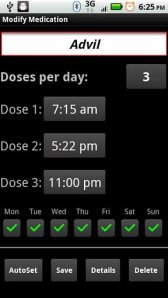
Easy, full featured, reliable pill, medication, medicine reminder application.
Easy, free full featured pill and medicine scheduler, and medication reminder app.
Features include:
* Persistent, reliable alarms
* No battery drain
* Highly configurable
* Multiple daily doses
* Status notifications
* Prescription refill reminders
* Medicine details
Get the paid version to:
- remove ads!
- select alarm sounds!
- backup and restore your data!
**** VERY IMPORTANT!!!! ****
After an update, you must launch Med Minder once to re-register your alarms. Because of this you should NOT enable automatic updates as you may not realize that an update has been applied and you will miss your alert. If the app fails alert you, please launch the app just to ensure the alarms are registered. If you still have a problem, please contact me.
**** ALSO VERY IMPORTANT ****
If you have a task killer, put Med Minder in its ignore list or your alarms may not work!
**** ALSO IMPORTANT ****
When you put your android phone on "mute" or "vibrate" mode, the phone ONLY mutes the ringer and notification sounds. It does NOT mute applications, such as games or media players. This means that if you have the Med Minder alarm pop-up enabled under settings, the alarm will sound even if the phone is in vibrate mode. If you need Med Minder to be muted, you can either disable the pop-up alarm under settings or manually turn your media volume down with your volume control button. However, I recommend "Mute Widget", a home screen widget that allows one-click muting of all sounds, ringer, notifications, and media.
Please check the website for a list of frequently asked questions. Please contact me if you have any issues or feature requests.

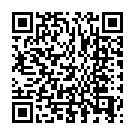 Download directly on your phone by scanning this QR code
